Back

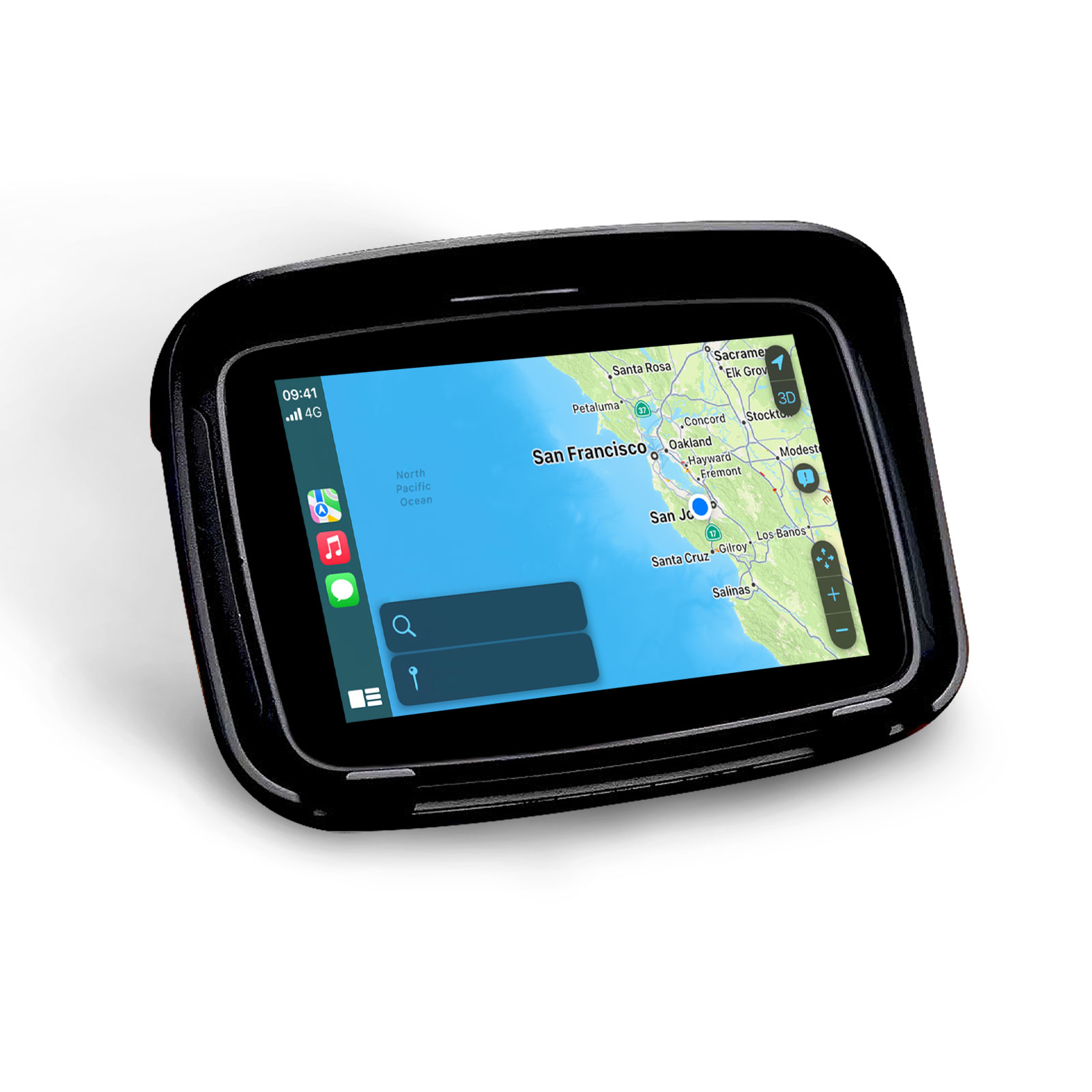
오토바이용 GPS 카플레이 안드로이드 오토 디스플레이 화면

원래 가격: ₩270,000.현재 가격: ₩240,000.

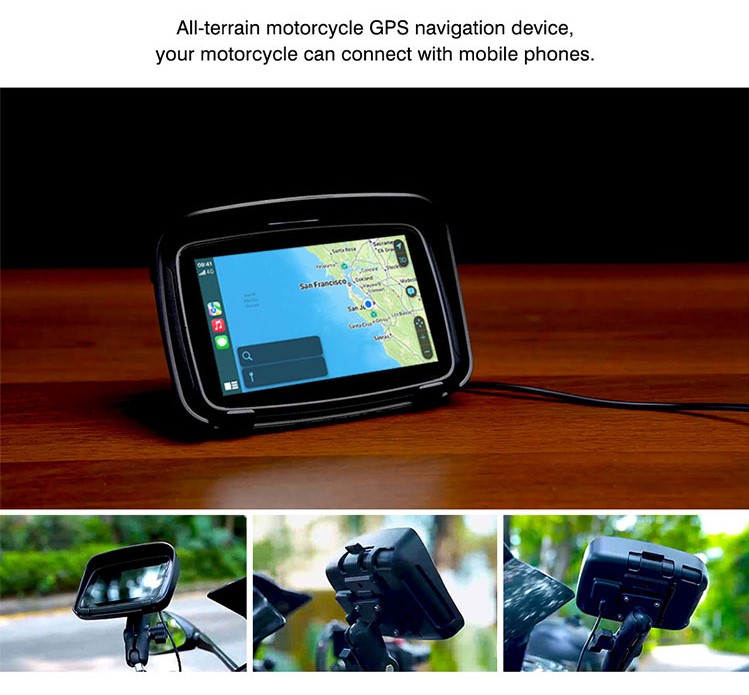
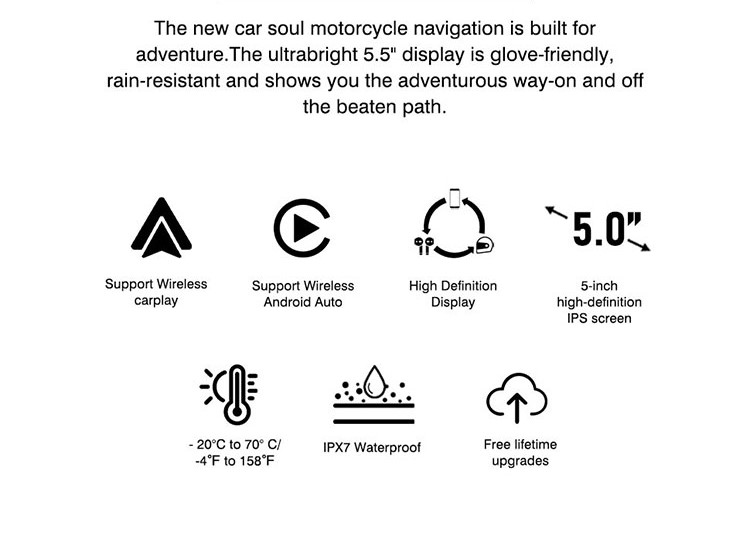
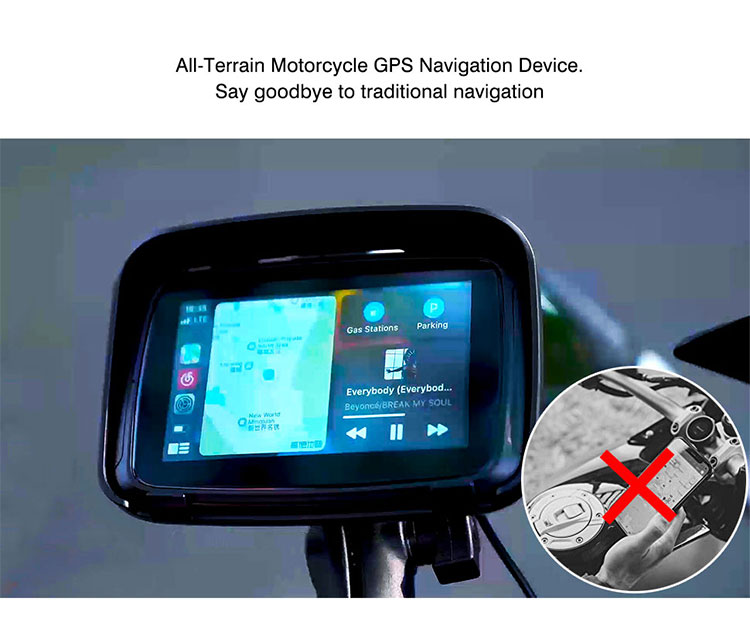
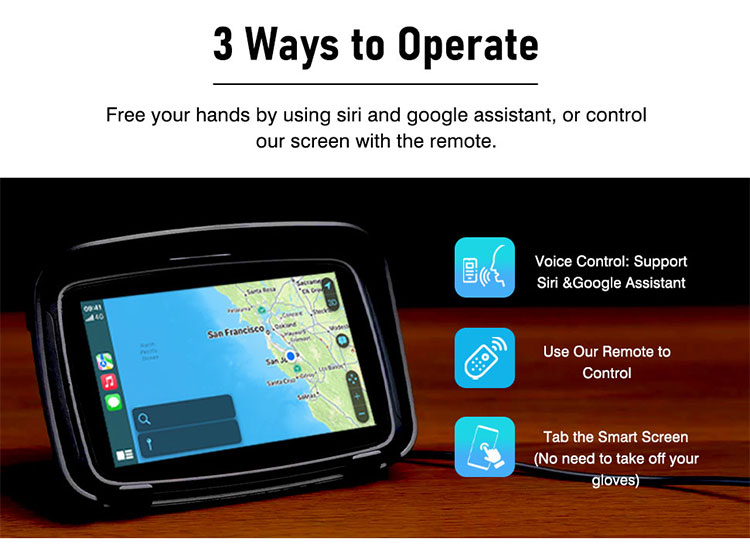
  • 오토바이에 스크린을 설치하면 CarPlay 및 Android Auto를 무선으로 사용할 수 있습니다.
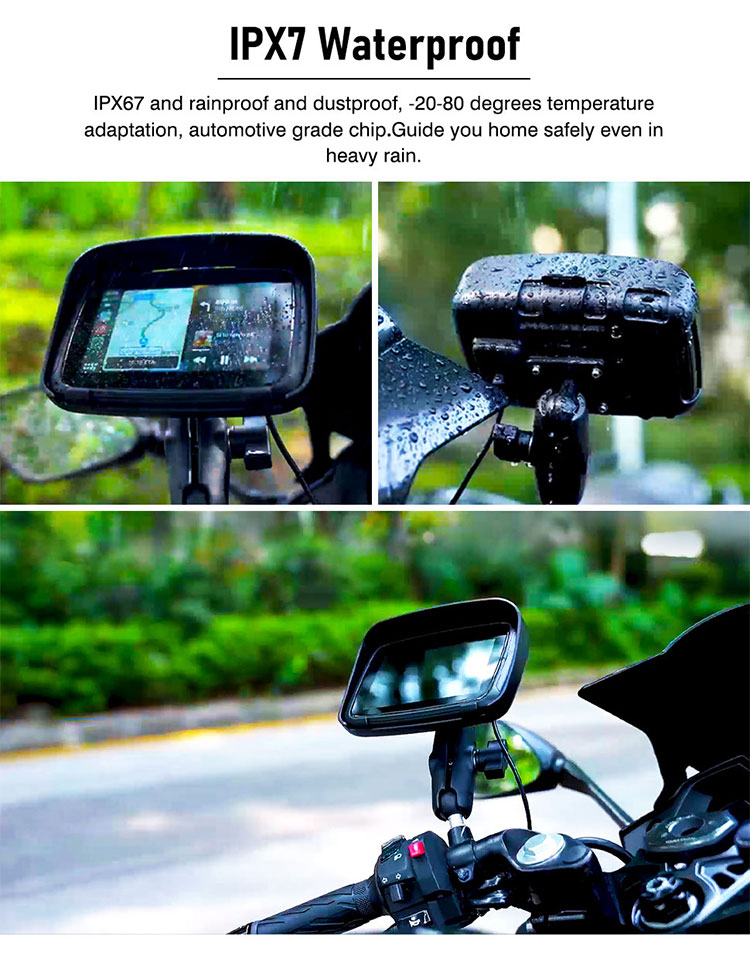
  • 방수, 방진, 충격 방지 (IPX67 등급)
  • 다양한 앱 지원: 내비게이션, 음악, GPS 등
  • 극한 온도에서도 작동
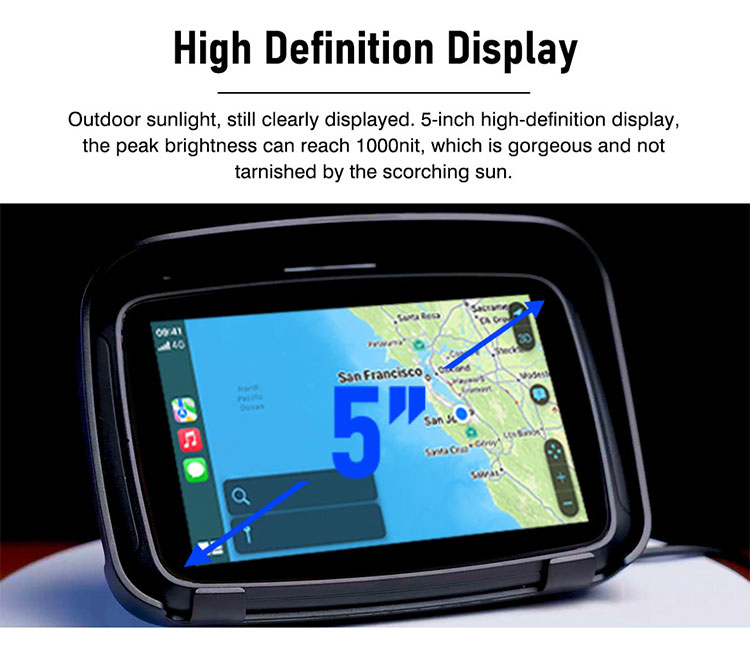
  • 5인치 IPS 터치스크린

매장 독점 서비스: 주문 후 차량 호환성을 수동으로 확인해 드리며, 평생 공식 펌웨어 및 테스트 버전 펌웨어 사용 권한, 2년 제조업체 보증(1년 연장 선택 가능), 1:1 온라인 엔지니어 지원을 제공합니다. 모든 서비스는 당사 웹사이트를 통해 직접 주문하신 고객님만 이용하실 수 있습니다.

  • 30일 환불 보장
  • 전 세계 무료 배송

[su_accordion]
[su_spoiler title=”Why over 50,000 customers choose us!” open=”yes” style=”fancy”] Since hitting the road back in 2014, we’ve been all about revolutionizing the CarPlay experience for cars and motorcyclists. With a garage full of patents dedicated to CarPlay solutions, we tackle the challenge of fitting this tech into even the most unique rides. Whether your steed is a classic or a rare breed, we’ve got the know-how to integrate CarPlay seamlessly, so you can jam to your tunes and stay connected while you’re tearing up the asphalt. [/su_spoiler]

[su_spoiler title=”Free Shipping & Returns” style=”fancy”] When you order today, get free express delivery for your carplay unit. All orders are dispatched within 48 hours. If you’re not happy with the product, you can send it back at any time within the first 30 days for a full refund.

[/su_spoiler][su_spoiler title=”30 Day Risk-Free Trial” style=”fancy”] Got your product not satisfied? No problem – just send it back for a full refund[/su_spoiler]

[su_spoiler title=”Apple Carplay & Android Auto” style=”fancy”] Enjoy seamless smartphone integration with your ride’s infotainment system through Apple CarPlay & Android Auto. Connect your ride to access maps, music, contact lists, and more, right from your motorcycle’s dashboard for a safer and more convenient ride.[/su_spoiler]

[su_spoiler title=”Support All Motorcycles” style=”fancy”] As long as your mortocle has ACC power Supply, this unit will work on your motorcycle[/su_spoiler]

[su_spoiler title=”One-time Installation” style=”fancy”] Install it once and never have to think about it again![/su_spoiler]

[su_spoiler title=”Life Time Online Upgrade” style=”fancy”] We provided lifetime APK firmware Upgration online[/su_spoiler]

[su_spoiler title=”Various Software and Applications” style=”fancy”] Support All CarPlay Apps[/su_spoiler]


0.0
Based on 0 reviews
5 star
0%
4 star
0%
3 star
0%
2 star
0%
1 star
0%
0 of 0 reviews

Sorry, no reviews match your current selections

설명

설명

/*! elementor – v3.18.0 – 20-12-2023 */
.elementor-widget-image{text-align:center}.elementor-widget-image a{display:inline-block}.elementor-widget-image a img[src$=”.svg”]{width:48px}.elementor-widget-image img{vertical-align:middle;display:inline-block}

당신의 오토바이는 기술 업그레이드가 필요합니다! 우리는 휴대용 CarPlay 내비게이션 스크린 장치를 개발하여 스마트폰과 오토바이의 연결을 가능하게 했습니다. 플러그 앤 플레이 방식으로 간편하게 연결하여 오토바이의 기술 사양을 업그레이드하세요.

무선 CarPlay 및 Android Auto: 블루투스로 스마트폰을 연결하면 무선으로 CarPlay와 Android Auto 기능을 자유롭게 이용할 수 있습니다.

한 번의 설치: 오토바이에서 스마트폰을 분리하거나 설치할 필요 없이, 오토바이 호스트 교체나 전문 설치 없이도 간편하게 설치됩니다.

온라인 업그레이드: 오토바이 기능을 손쉽게 업그레이드할 수 있습니다.

다양한 소프트웨어 및 앱: 풍부한 소프트웨어와 내비게이션 앱: 스마트폰으로 원하는 다양한 소프트웨어와 내비게이션 앱을 다운로드하여 운전을 더욱 편리하게 만드세요.

야외 환경을 위해 설계됨: 당사 하드웨어는 업계 표준을 충족하며, 80°C/176°F의 고온에서도 완벽하게 작동하며 뛰어난 방진 성능을 갖추고 있습니다.

FAQ

오토바이용 CarPlay 대시보드 설치 방법

오토바이의 ACC 전원 공급 장치에 연결해야 합니다. 일반적으로 오토바이의 ACC 전원 공급 장치는 시트 아래에 있으므로, 설치하려면 오토바이 시트 쿠션을 제거해야 합니다.

CarPlay 대시보드를 설치하는 방법은 세 가지가 있습니다.

1: 핸들에 설치

2: 오토바이 대시보드 크로스바에 설치

3: 오토바이 미러 암에 장착

기기 도난 방지 방법

화면과 받침대를 본체와 연결하는 나사가 있습니다. 자주 사용하지 않을 경우 나사를 풀어서 기기를 쉽게 분리할 수 있습니다. 또는 도난 방지를 위해 나사를 조여 고정할 수도 있습니다.

주차 후 기기 전원이 자동으로 꺼지나요?

네, 기기가 ACC 전원 공급 장치에 연결되어 있기 때문에 5분 동안 정차하면 자동으로 전원이 꺼집니다.

기기를 업그레이드할 수 있나요?

네, 화면을 분리한 후 TF 카드를 통해 업그레이드할 수 있습니다. 또는 USB 인터페이스를 통해 USB 디스크를 삽입하여 업그레이드할 수 있습니다.

이 기기를 자전거에 장착할 수 있나요?

이 기기는 전원이 필요하므로 배터리 없이 자전거에 설치하는 것은 권장하지 않습니다.

이 기기는 방수, 방진 및 고온에 견딜 수 있나요?

본 기기는 IP68 등급의 방수 및 방진 기능을 지원합니다. 차량용 하드웨어는 고온 및 저온 환경을 견딜 수 있습니다.

휴대폰을 블루투스 헤드셋에 연결할 때 내비게이션에서 소리가 나지 않는 이유는 무엇인가요? 그리고 어떻게 해결하나요?

CarPlay 화면의 두 번째 블루투스를 통해 오토바이용 헤드셋을 연결해 보세요.

블루투스 헤드셋을 연결할 수 없다면?

블루투스 기능은 기기 홈페이지에 표시되는 설정에서 확인할 수 있습니다. (블루투스 기능은 CarPlay 및 Android Auto 연결에 사용됩니다.)

통화 중 소리가 나지 않는 이유는 무엇인가요? 그리고 어떻게 해결하나요?

CarPlay 기능의 한계로 인해 CarPlay 사용 시 오디오 채널은 기본적으로 휴대폰이 아닌 CarPlay에 있습니다. 화면의 두 번째 블루투스 버튼을 통해 오토바이 헤드셋에 연결하면 문제가 해결됩니다.
Shipping & Delivery
Processing Time:
Before The Shipping, Please Allow Us 1-3 Business Days For Processing Your Order, Timing Depends On The Actual Situation (Public Holidays/Weekends Excluded) Processing Time May Be Delayed If Your Shipping Address Is Questionable And Your Order Is Flagged As A Risk (We Use This Additional Time To Help Ensure The Security Of Your Credit Information). Shipping Details
You Will Receive The First Email Notification Of The Shipping Details Once The Parcel Has Been Shipped. The Tracking Number Will Be Sent Out To Your Email 1-2 Working Days After You Received The First Notification Email.
Tracking
We Recommend That You Register An Account On Our Website To Keep Track Of Your Order. Parcel Tracking Site: https://www.17track.net/en (It Usually Delays 1 – 3 Days To Sync The Tracking Information Before Uploading To The Internet.)
Friendly Reminder
If You Do Not Live In A Secure Location Please Be Wise About The Shipping Method You Chose As Standard Mail Couriers Will Not Require A Signature And Packages Will Be Left And Any “Secure” Location Deems Fit To The Mail Carrier. – We Are Not Responsible For Incorrect Addresses Entered By You As The Customer. – A Restocking Fee Will Be Charged If You Do Not Claim Your Item And It Is Returned. The Charge Will Be 10% Of The Total Charge Per Item.